
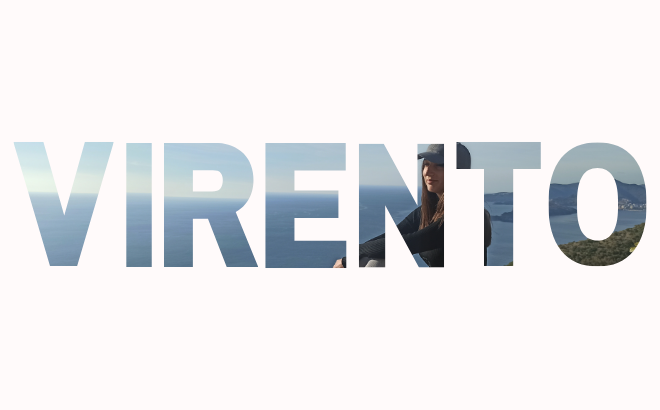
This trick is perfect for those times when you want your headline to look like a piece of art. Instead of a plain color, your letters will “wear” a texture, a landscape, or any photo you choose.
Step 1: Find the “Letter Frames”
In Canva, you cannot drop an image into regular text that you type with your keyboard. You must use Frames.
- Open the Elements tab on the left side.
- Scroll down until you find the Frames section and click “See All”.
- In the search bar, type the letter you need (e.g., “Letter A”).
- Drag the desired letters onto your design and arrange them to form a word.
Step 2: Choose Your Photo
Now you need the photo that will “fill” your letters.
- You can use your own image or one from the Canva library (for example, beautiful gradients offered by designers like @sparklestroke or @rachyface).
Step 3: The “Drag & Drop” Magic
- Click on the photo and drag it directly over the first letter.
- You will see the image automatically “snap” into the letter frame.
- Repeat this for every letter in the word.
Step 4: Align the Image (The Pro Secret)
To make the entire word look like it was cut out of a single, unified image (rather than each letter having its own random picture), do this:
- Double-click the first letter. This allows you to move and resize the image inside that specific letter.
- Stretch the image across the entire word, but make sure only the part that “belongs” to that specific letter is visible within it.
- Repeat this for every letter, ensuring the background image aligns perfectly. The result will be a single image that “flows” through all the letters.
Why use this?
This effect adds depth and texture to your blog that ordinary text simply cannot provide. It is especially powerful for post thumbnails or social media quotes.