
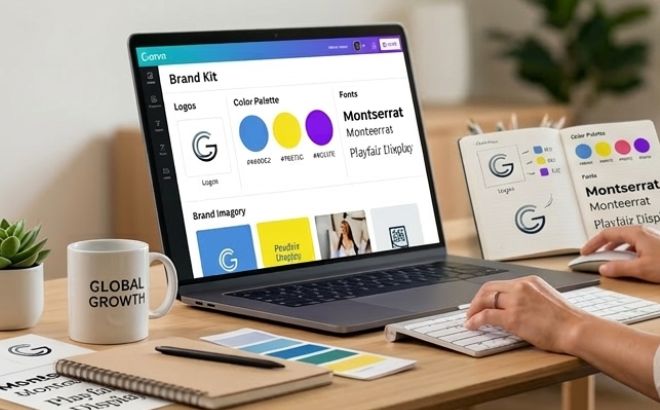
In the world of online entrepreneurship, brand consistency is your secret weapon. If you want your small business to look professional across Pinterest, Instagram, and your blog, you need a cohesive visual identity. The best way to achieve this is by setting up a Canva Brand Kit.
Before you start setting up your Brand Kit in Canva, make sure you have your logos ready—ideally a primary logo, a secondary variation, and versions with transparent backgrounds.
But note – the Brand Kit feature is mainly for paid plans.
What is a Canva Brand Kit?
A Brand Kit is a centralized hub inside Canva where you store your logos, color palettes, and brand fonts. Instead of manually searching for hex codes or uploading your logo every time you create a design, the Brand Kit makes everything available in one click. This is essential for small business branding in 2026.
Step-by-Step Tutorial: Setting Up Your Brand Kit
- Access the Brand Hub
From your Canva dashboard, click on the Brand icon in the left-hand sidebar. This is your command center. - Upload Your Logos
Upload your primary logo, secondary logo, and favicon. Having transparent background versions ready will save you hours of editing later. - Define Your Color Palette
Input your specific Hex codes. For an aesthetic brand, stick to a palette of 3-5 colors. Consistency in these tones is what makes your brand instantly recognizable to your audience. We have already mentioned color theory in our previous tutorials, be sure to check it out. - Select Brand Typography
Choose your fonts for Headings, Subheadings, and Body text. Proper font pairing ensures that your brand looks balanced, professional, and readable.
💡 Pro Tip for Pinterest Strategy
Use the “Brand Shuffle” feature in Canva to apply your colors to any template instantly. This is the fastest way to create aesthetic Pinterest Pins that drive traffic to your site.
Final Thoughts
Setting up your Brand Kit is a small investment of time that pays off every time you hit “Create a Design.” Stay consistent, stay aesthetic, and watch your brand grow!